
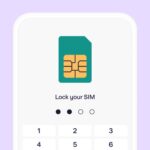
Have you ever worried that someone could steal your phone number and empty your bank account? It may sound scary, but it’s very real. This type of crime is called SIM-swap or duplicate SIM fraud. In such cases, scammers take control of your mobile number and receive all your one-time passwords (OTPs). Once they have your OTPs, they can break into your bank accounts, UPI apps, email, and even social media. But there’s a simple trick to stay safe: lock your SIM card with a PIN that only you know. What is a SIM card lock? A SIM card lock is an extra security layer that protects your mobile network access. Even if someone removes your SIM and puts it into another phone, it won’t work without the correct SIM PIN. This is not the same as a carrier-locked phone. A carrier lock restricts which network you can use, while a SIM lock protects your number itself. Read also: WhatsApp, Telegram will block users without active SIM cards Also, your SIM PIN is different from your phone’s screen lock PIN: The SIM PIN usually comes from your mobile operator and can be changed from your phone settings. Once your SIM is locked, no one can port your number or create a duplicate SIM without your PIN. How to lock your SIM in 4 simple steps Step 1: Find your default SIM PIN Check with your mobile service provider first. Common default PINs are 0000 or 1234, but always confirm to avoid getting locked out. Step 2: Go to SIM lock settings Step 3: Turn on SIM PIN Enable the option, enter the default PIN, and set a new 4-digit PIN that only you know. Choose something easy to remember but hard to guess. Step 4: Restart and test Restart your phone. You’ll now be asked for your SIM PIN before the network connects. Read also: Scam in the name of e-SIM card That’s it, a small step that adds big protection to your digital life.
The post appeared first on .

