
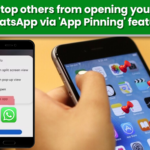
Ever had that awkward moment when someone asks for your phone to make a call or watch a video, and you keep wondering, “What if they open my WhatsApp or UPI app?”
If this sounds familiar, Android has a simple safety feature that can save you from that stress. It’s called App Pinning (also known as Screen Pinning), and it locks your phone to just one app.
What is App Pinning and why is it useful? App Pinning is an Android security feature that locks your phone to just one app, so the person using your phone cannot switch to other apps, check notifications, or open settings.
Your personal photos, chats, emails, social media, and UPI or banking apps remain hidden in the background. You should use this feature whenever you give your phone to someone for a specific task, like making a call, watching a video, using Google Maps, or when kids are playing games on your phone. It’s especially useful in public places or at work, where you don’t want anyone to accidentally or intentionally open your private apps. So if you give your phone to someone for YouTube, calling, or Google Maps, they can only use that app, nothing else. How to turn on App Pinning on Android
The steps may look slightly different on each phone, but the setting is usually here: That’s it. The feature is now ready to use. Also read: Google removes some AI health summaries over safety concerns
How to pin any app Whenever you want to lock your phone to one app: Now the phone will stay only on that app. Also read: Wi-Fi not working properly? Do these simple and effective steps to get superfast internet at home
How to unpin the app later To come back to normal phone use: In most cases, your phone will ask for your PIN, pattern, or fingerprint before unlocking, so only you can exit the pinned app. With App Pinning, you can hand over your phone without worrying about what else might get opened. It limits access to only the app you choose and blocks everything else in the background. Simple to use, but extremely useful for protecting your personal data every day.
The post appeared first on .

